Combine CSV and Excel exports
Map agreed source columns into one structure. A source field called “Qty” and another called “Units” can feed the same quantity column when their meaning has been confirmed.
 Let’s talk
SPREADSHEET CLEANUP · FILE CONSOLIDATION · RECURRING REPORTS
Turn separate sales exports, supplier files or operational spreadsheets into a consistent report. Boxsti scopes one repeatable workflow around your files, the checks you need and the output your team uses.
A useful starting project has a clear input and a clear finish: collect the same exports, apply agreed rules, then produce an output someone can check.
Map agreed source columns into one structure. A source field called “Qty” and another called “Units” can feed the same quantity column when their meaning has been confirmed.
Define required fields, supported date formats, numeric checks and duplicate rules. Separate records needing review so missing information is not quietly replaced with a guess.
Build the agreed summary from accepted records: for example sales by region, units by product or a consolidated monthly total. Keep a source trail so individual records can be checked.
Agree how files are supplied, how the workflow runs and how exceptions are reviewed. Receive operating instructions and clear boundaries for format changes and future updates.
EXPLORE THE WORK
This fictional example imports three documented export layouts. It standardizes columns and formats, excludes exact duplicate copies and creates a review queue. Accepted sales total USD 18,488 across 1,074 units.
60Imported rows
54Accepted sales lines
3Duplicate copies excluded
3Rows needing review
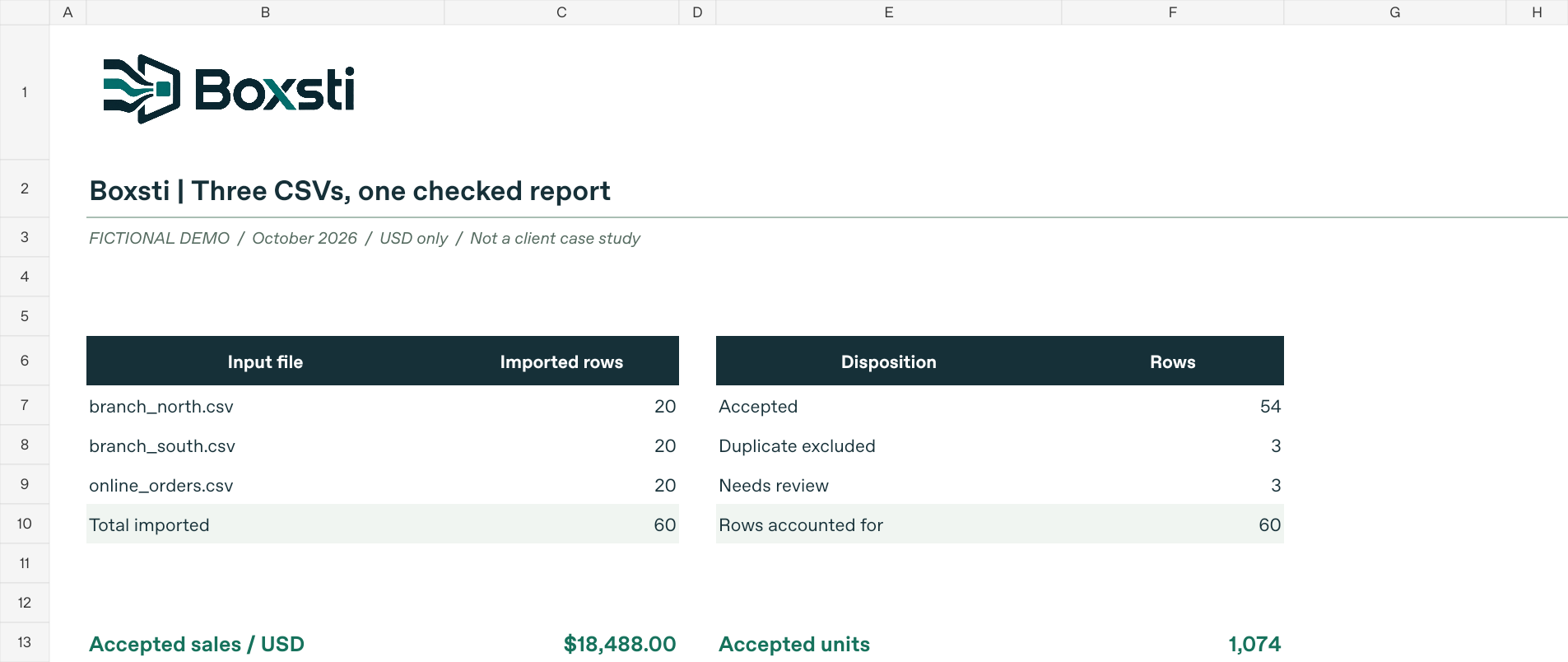
The Excel file is a saved sample with calculation formulas. The included Python workflow regenerates the CSV outputs and demonstration HTML, not the workbook. Its three supported input layouts are documented in the pack.
LEARN WITH THE SAMPLE
See the field mappings, duplicate rules and expected totals, then rerun the included workflow yourself.
Similar column names do not always mean the same thing. Confirm dates, quantities, prices, currencies and identifiers before combining sources.
Agree the key and treatment of repeated records. In our sample, an order ID plus SKU identifies a sales line; only identical normalized copies are automatically excluded.
A renamed or missing source column can change a report. Our sample checks expected headers and stops the import if a layout changes unexpectedly. A changed mapping needs review before rerunning.
Confirm that every input row is accounted for and that summary figures reconcile to accepted records. Review rejected rows before relying on a report for business decisions.
Excel & CSV projects start at USD 299 for one focused cleanup, consolidation or calculation workflow. We review a sample, define deliverables and acceptance checks, then provide a fixed quote. File volume, formats and complexity affect the final price; third-party costs are separate. See project budgets.
Describe the recurring task, how often it happens, the input formats and the report you want. Begin with a description or anonymized example. Leave confidential or sensitive information out of your first message.
Yes, when the source layouts and field meanings are agreed during scoping. The sample maps three explicit layouts; it does not automatically understand every possible export.
Changes to headers, formats or business rules need review. We define the expected validation behavior and change process in the project scope. Ongoing changes and support are agreed separately.
No. It is limited to the three included CSV layouts and USD. Scanned PDFs, currency conversion, accounting-system connections and unattended scheduling are outside that sample. A different workflow needs its own assessment.
We start by examining the repetitive steps around your current exports and reports. Any required integration, permission or third-party subscription is identified before a build is agreed.
Tell us what goes in, what should come out and what needs checking.
shubham@boxstiai.com
Discuss your workflow →